
 EMOS
EMOS
EMOS — The Embodied Operating System#
EMOS – The Embodied Operating System#
The open-source runtime for Physical AI.
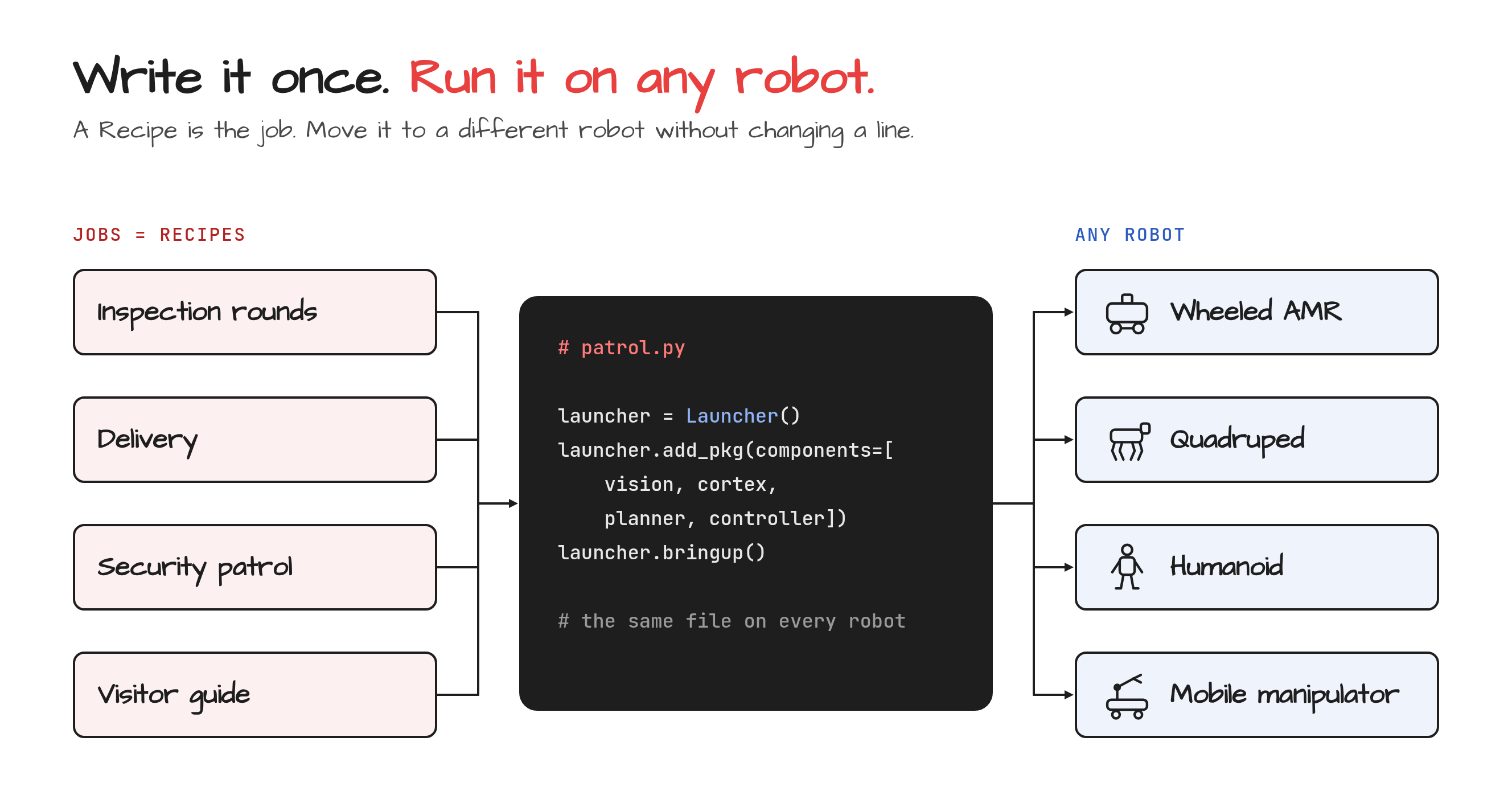
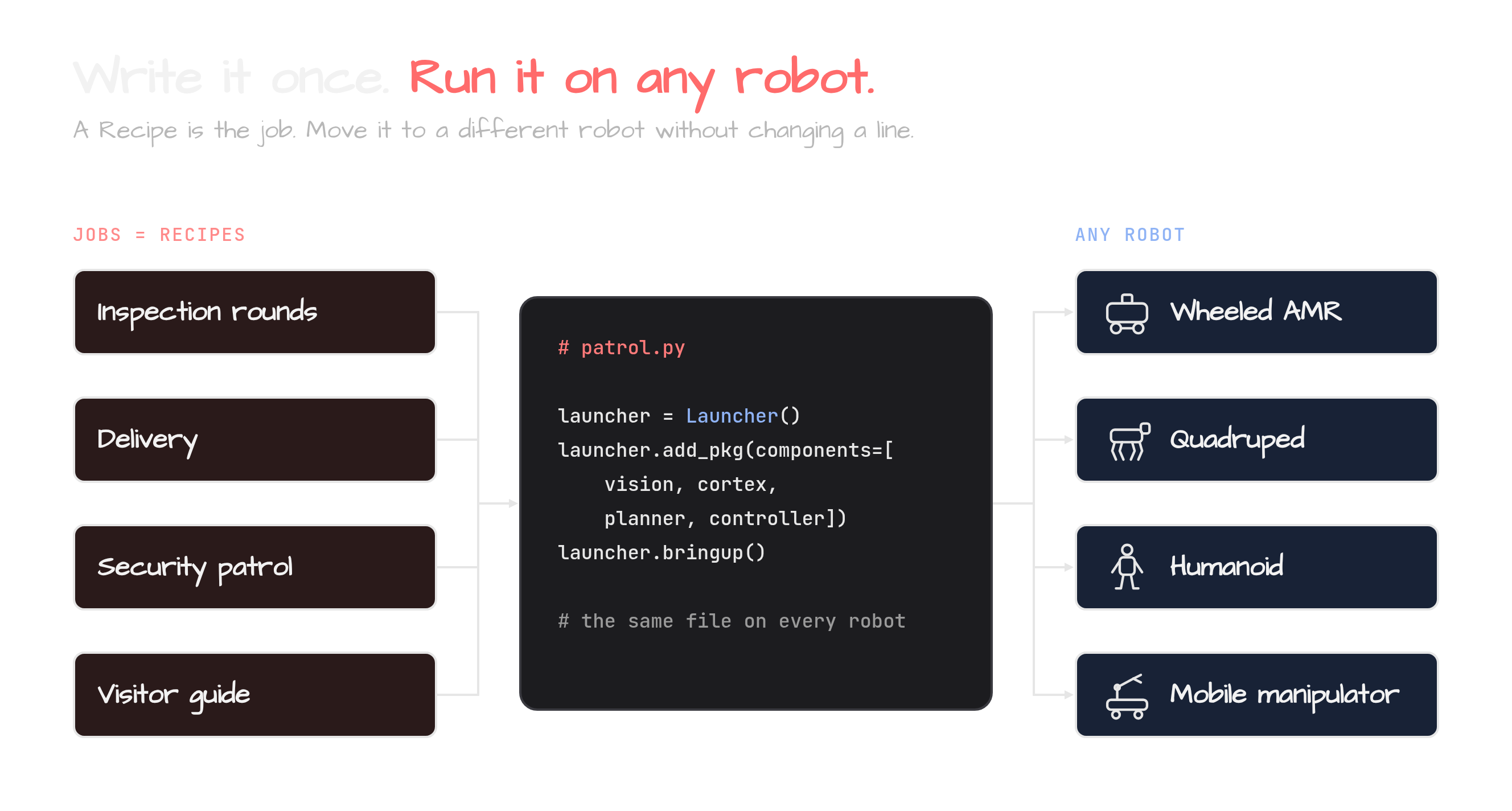
EMOS turns a robot into a Physical AI Agent: one that sees, thinks, moves and adapts. The whole behavior lives in a single Python file called a Recipe, and the same Recipe runs on a wheeled AMR, a quadruped or a humanoid without a line changed.
Install EMOS Why EMOS? View on GitHub
What You Can Build#
Recipes cover every part of a Physical AI agent, from a conversation to a patrol.
Wire vision, language, speech and memory into agentic workflows. Route requests by intent, answer questions about the surroundings, build a semantic map of the site, or let a decision model judge what to do next, all from one Python script.
Cortex, the agentic harness, turns a Recipe into an agent you talk to. It finds every capability the Recipe has, plans a goal as a sequence of tool calls, replans when one fails and writes the tools it is missing. VLAs handle end-to-end manipulation, with a VLM referee that stops an action once the task is done.
GPU-accelerated planning and control for real-world mobility. Point-to-point navigation, multi-waypoint missions, path recording and vision-based following, across differential drive, Ackermann and omnidirectional platforms.
Event-driven architecture lets agents reconfigure themselves at runtime. Hot-swap ML models on network failure, switch navigation algorithms when stuck, trigger recovery maneuvers from sensor events, or compose complex behaviors with logic gates.
A Recipe Is One Python File#
This is a complete Physical AI agent. It sees through a camera, reasons with a vision-language model and answers in text, and it runs as a managed ROS 2 lifecycle node:
from agents.clients.ollama import OllamaClient
from agents.components import VLM
from agents.models import OllamaModel
from agents.ros import Topic, Launcher

text_in  = Topic(name="text0", msg_type="String")
image_in = Topic(name="image_raw", msg_type="Image")
text_out = Topic(name="text1", msg_type="String")

model  = OllamaModel(name="qwen_vl", checkpoint="qwen2.5vl:latest")
client = OllamaClient(model)

vlm = VLM(
    inputs=[text_in, image_in],
    outputs=[text_out],
    model_client=client,
    trigger=text_in,
)

launcher = Launcher()
launcher.add_pkg(components=[vlm])
launcher.bringup()
A bigger Recipe is the same thing with more components wired together, and with the scenarios you want the robot to handle written next to them. The web UI comes for free, generated from the Recipe itself.
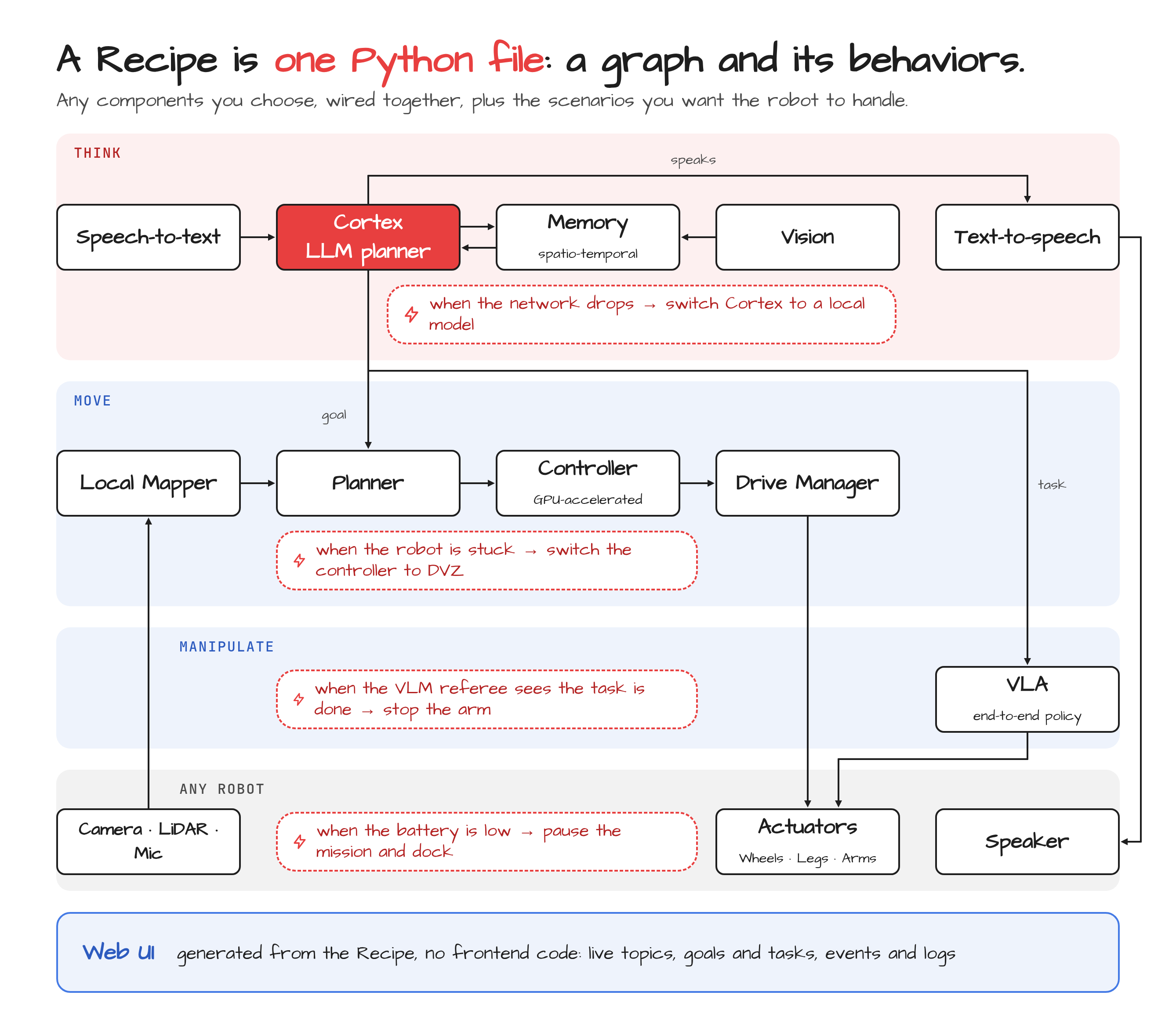
Solid arrows show which component feeds which. Dashed red flags show what the robot should do when something happens.#
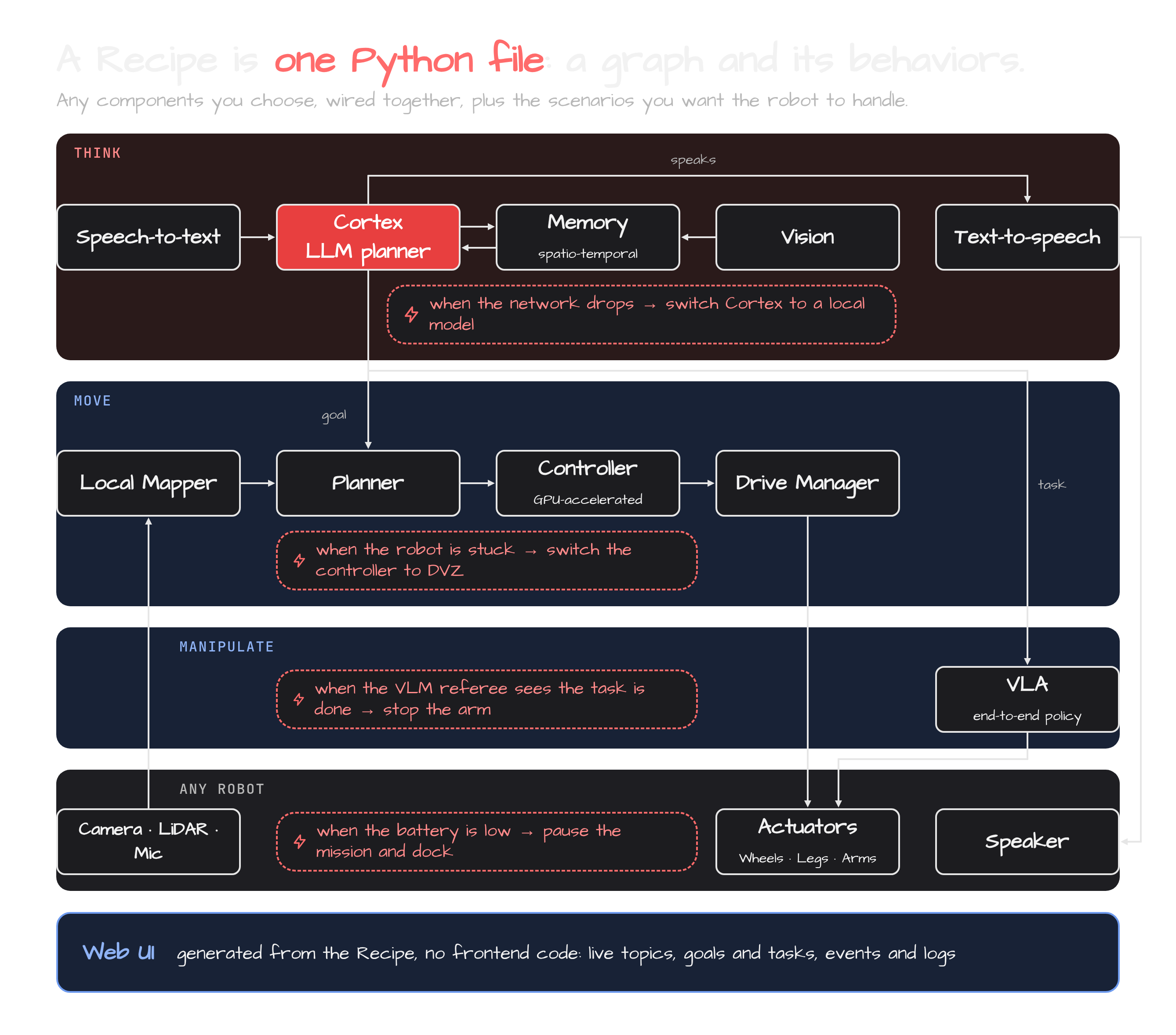
Solid arrows show which component feeds which. Dashed red flags show what the robot should do when something happens.#
What’s Inside#
EMOS is built on three open-source components:
Component |
Role |
|---|---|
Intelligence layer – perception, language, memory, Cortex and manipulation components |
|
Navigation layer – GPU-accelerated planning and control for any motion model |
|
Architecture layer – the components, events and launch API everything else is built on |
Every component in a Recipe comes from one of the three, and the emos CLI installs, updates and runs the lot.
The problem EMOS solves – from custom R&D projects to universal, adaptive robot apps.
Install EMOS and run your first Recipe in minutes.
Build intelligent robot behaviors with step-by-step guides.
Put EMOS on your robot with a plugin, and map the site with the robot itself.
Understand the architecture, components, events, and fallbacks.
Zero-touch web console on the robot for browsing and running recipes.
Package and run Recipes with the emos CLI.
Get the llms.txt for your coding agent and let it write recipes for you.
Every component, client and model, documented from the source.